Posted in Advanced Photo Assignments, Pathway Block

Project: Senior Lifestyle Portrait Shoot!

Group Project Instructions: Consider this as practice for your individual project! 

Due date TBD. The current plan is to shoot as groups this Thursday and Friday.

  • Everyone in your group will take turns being photographer and subject (decide who will photograph who).
  • Decide with your subject where on campus you want as your backdrop (Let me know if I’ll need facility permissions ahead of time!).
  • Cap & gown are optional, but I have two sets if you want to use them.
  • Each person takes 10-15 photos of their subject.
  • Subject must be well-lit using light modifiers when necessary.
  • Edit the best 3 photos in Lightroom and post on your blog with camera settings. Include a short paragraph telling us about your subject!


Individual Senior Lifestyle Project Instructions: 

Due Monday April 20th

Take at least 30 photos of your “client” (must be a senior, can be from any school). Include headshots, waist shots, and full body shots. Have fun and get creative!

Posting Instructions:

  1. Title your post with the first name of your “client” + “Senior Lifestyle Photo Shoot” (ex: Bobby’s Senior Lifestyle Photo Shoot).
  2. Post your best 3-4 edited photos in a gallery: link to media file, LARGE size, columns 3 or 4. Include camera settings in the captions. ONE of these photos must demonstrate a shallow depth of field.
  3. Post a second gallery with all the photos from the shoot: link to media file, thumbnail size, columns 4.
  4. Type a couple paragraphs at the end telling us who your client was + what the photos are supposed to showcase about them. Include a reflection telling us how the shoot went, whether you and your client were happy with the results, and what you could have done different for better results.

Good luck and have fun!!

Rubric:

  • Good exposure/appropriately lit.
  • Good composition.
  • Sharp focus of subjects eye’s (don’t forget to look for catchlights!).
  • Editing is tasteful and not distracting.
  • Background is simple, clean, and contributes to the portraits (no distracting elements).
  • Effort/planning and creativity is evident.
  • Followed all directions above.
Posted in Advanced Photo Assignments

Preparing for: Senior Lifestyle Portrait Shoots

Today’s Agenda:


Preparation Blog Post for

Senior Lifestyle Portrait Shoot Project

Create a blog post with resources + inspiration! 

Instructions:

Create a blog post titled, “Senior Portraits Inspo”.

  1. Photo Inspo: Find at least 5 lifestyle senior portrait examples online that you really love and add them as a gallery (link to media file, medium size).
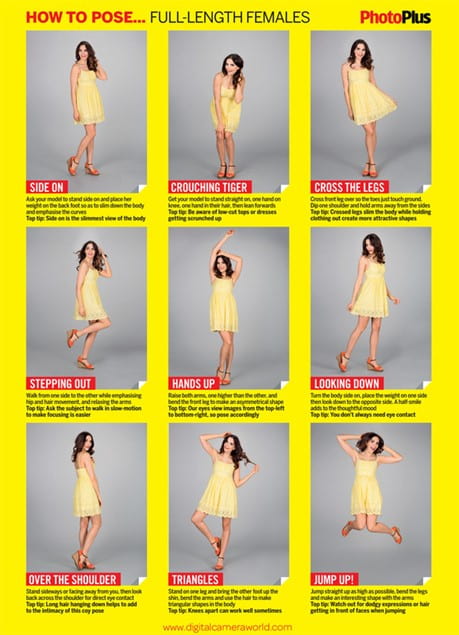
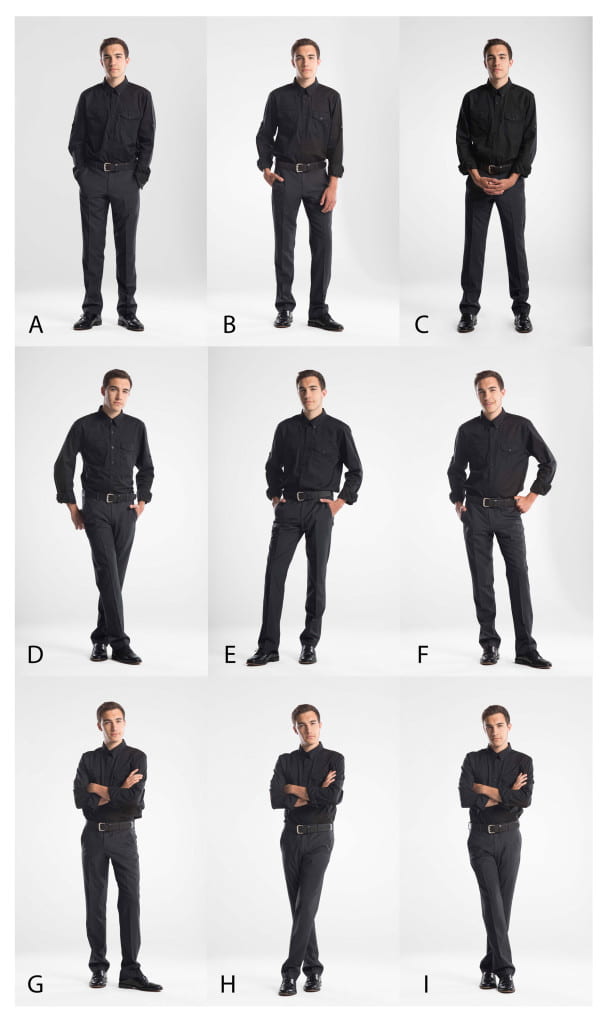
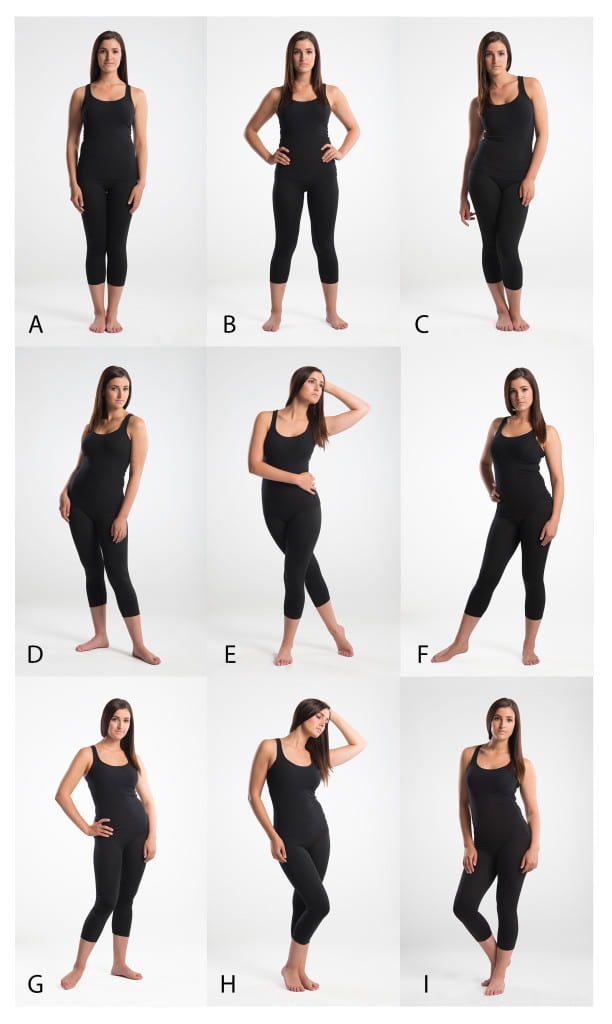
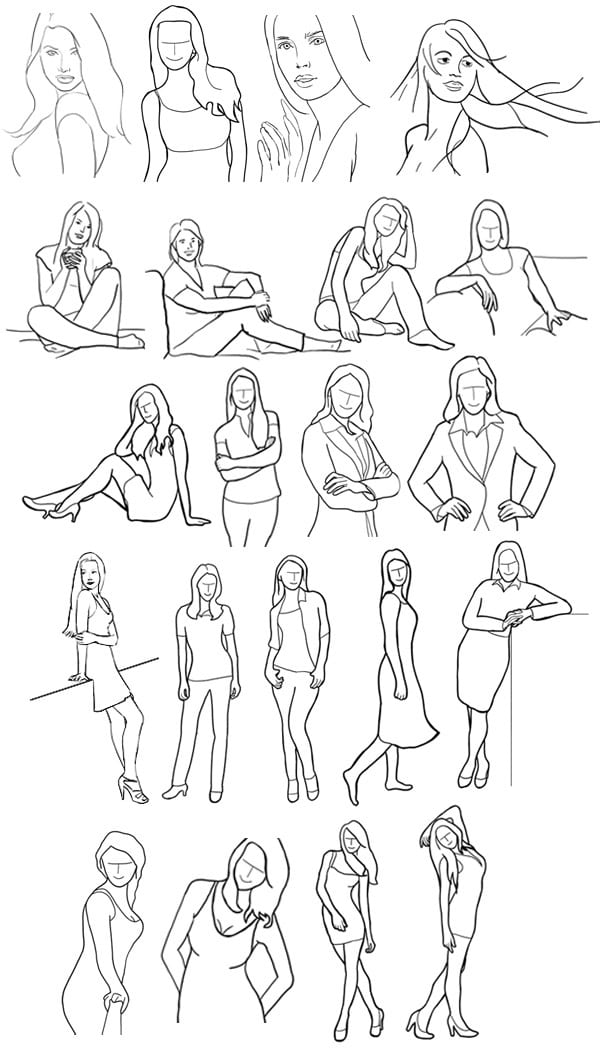
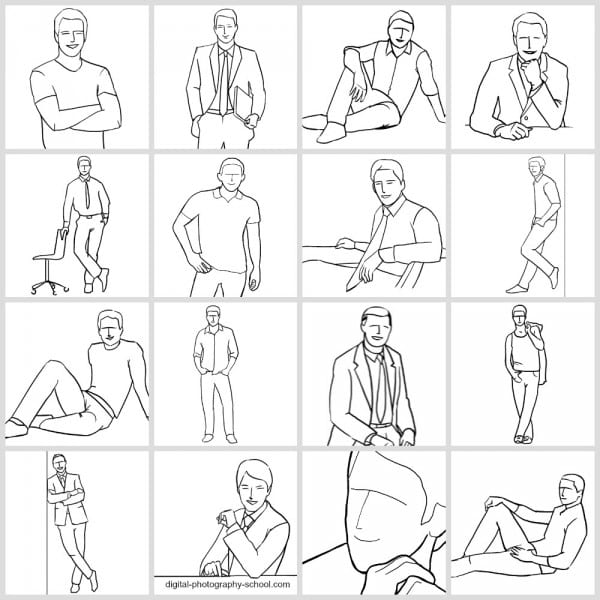
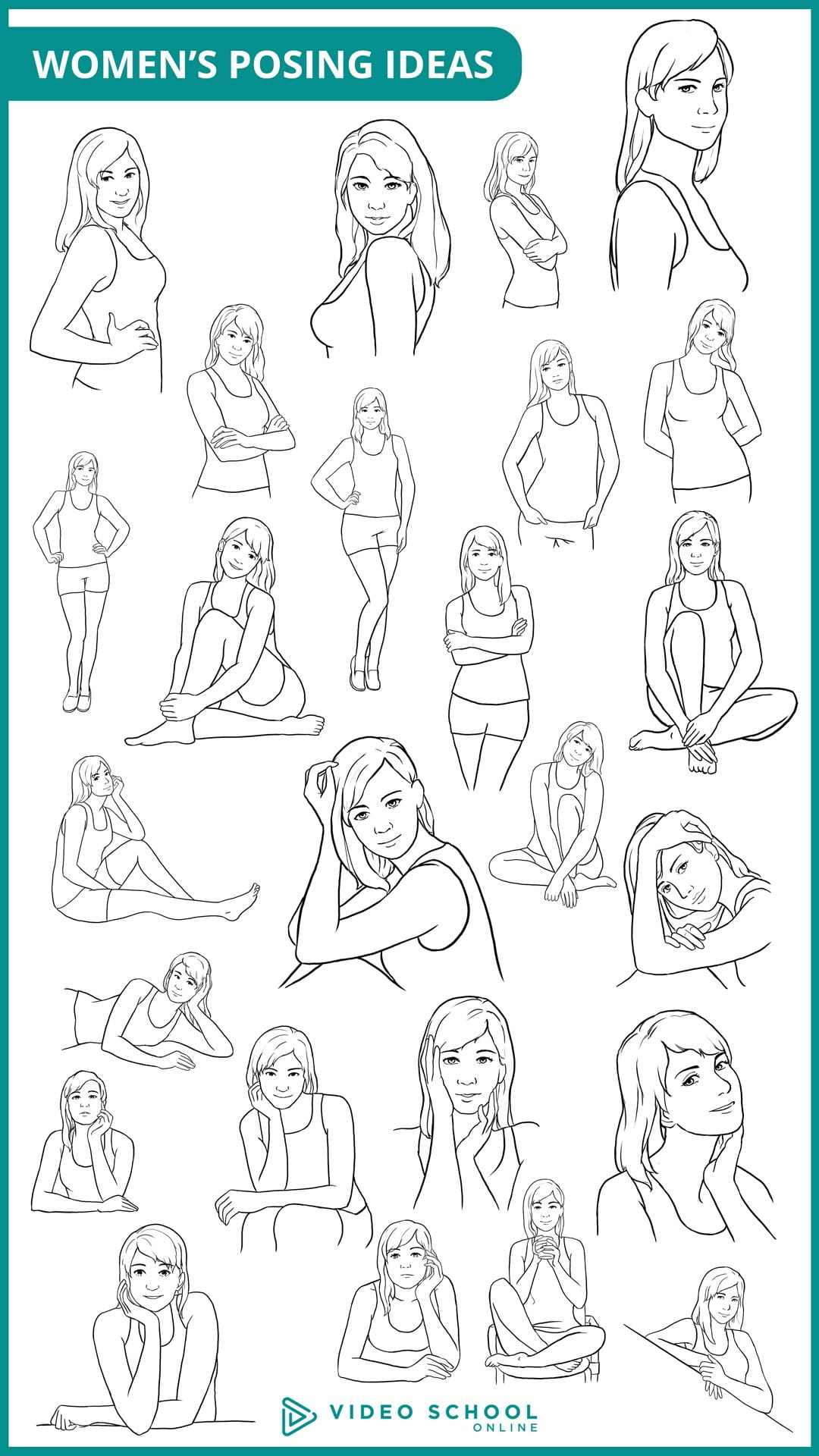
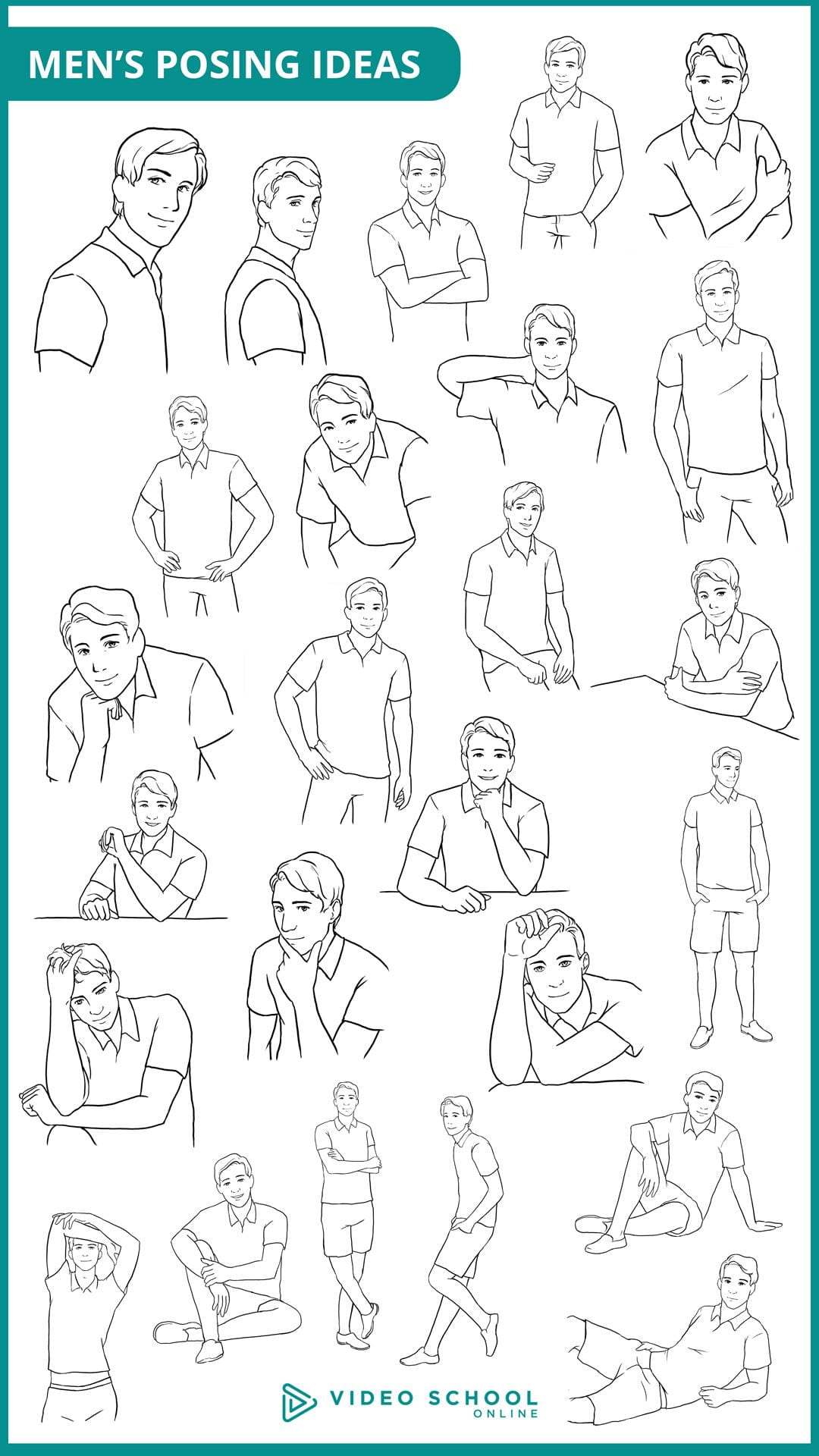
  2. Posing Guides: Do a Google Image search for “Portrait Posing Guide”. Save at least 3 posing guides that you find useful. Add them in your blog post as a gallery but I also recommend saving them in your camera roll in your phone to have handy during the shoot. I added a few guides below that you can also use. (Link to media file, medium size).
  3. Photographer Tips: Select at least 5 tips for photographers that you have learned about regarding senior lifestyle portraits and include them in your post. You can use the video playlist as your reference, search the links I included below, or do your own research!
  4. Tips for Your Subject: Finally, do an online search for lifestyle senior portrait tips for your subject (how to prepare, what to wear or NOT wear for the shoot, makeup tips, etc.). I included a couple links for you below. Include at least 5 tips for your subject in the post.


Resources/tips for senior portrait photographers:

https://www.flytographer.com/blog/senior-photos-best-tips/

https://digital-photography-school.com/senior-portraits-kids-parents-love/

https://lauramares.com/5-tips-to-plan-your-senior-photo-session/

10 Posing Tips for the Best Senior Portraits | Pittsburgh Senior Photographer

https://shotkit.com/senior-picture-ideas/

https://digital-photography-school.com/11-tips-for-photographing-senior-portraits/


Resources/tips for your subject:

Top 10 Tips to Prepare for Your Senior Photo Session – Pittsburgh Senior Photographer

How Should I Prepare for My Senior Pictures?

21 Tips for Your Senior Pictures

https://julienkibler.com/8-tips-to-plan-your-senior-photo-portraits/

11 Tips to Plan Your Senior Photo Session

Posing Guides:

Posted in Photo 1 Assignments

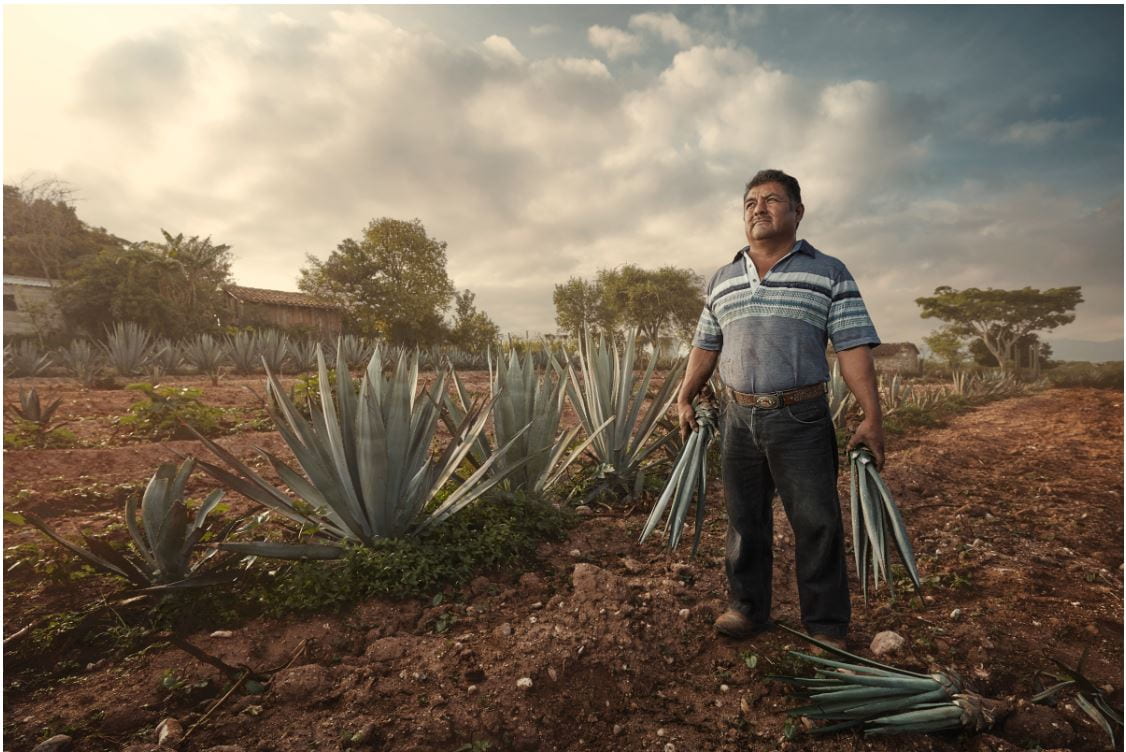
Intro to “Environmental Portraits”

Today’s Agenda:

  • Turn in Natural Light Portrait Lightroom Tutorials and Project
  • Environmental Portraits Intro Assignment

Turn in your word document in Teams.

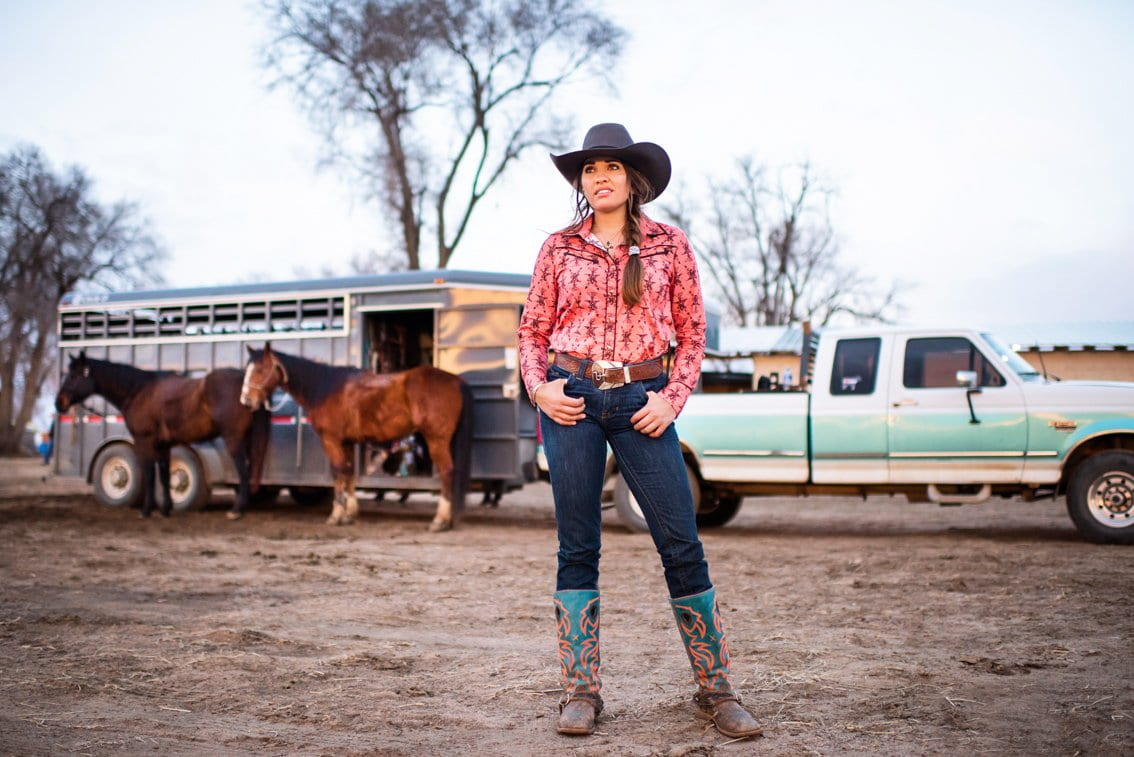
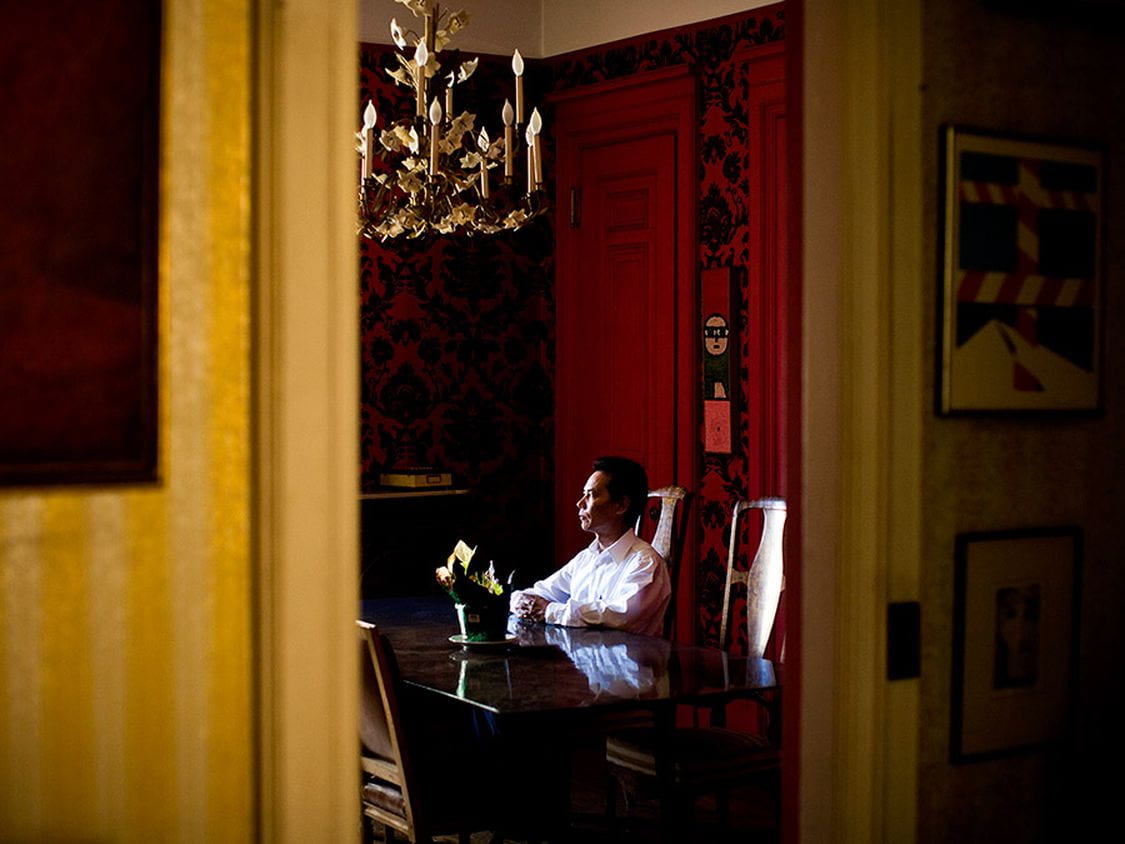
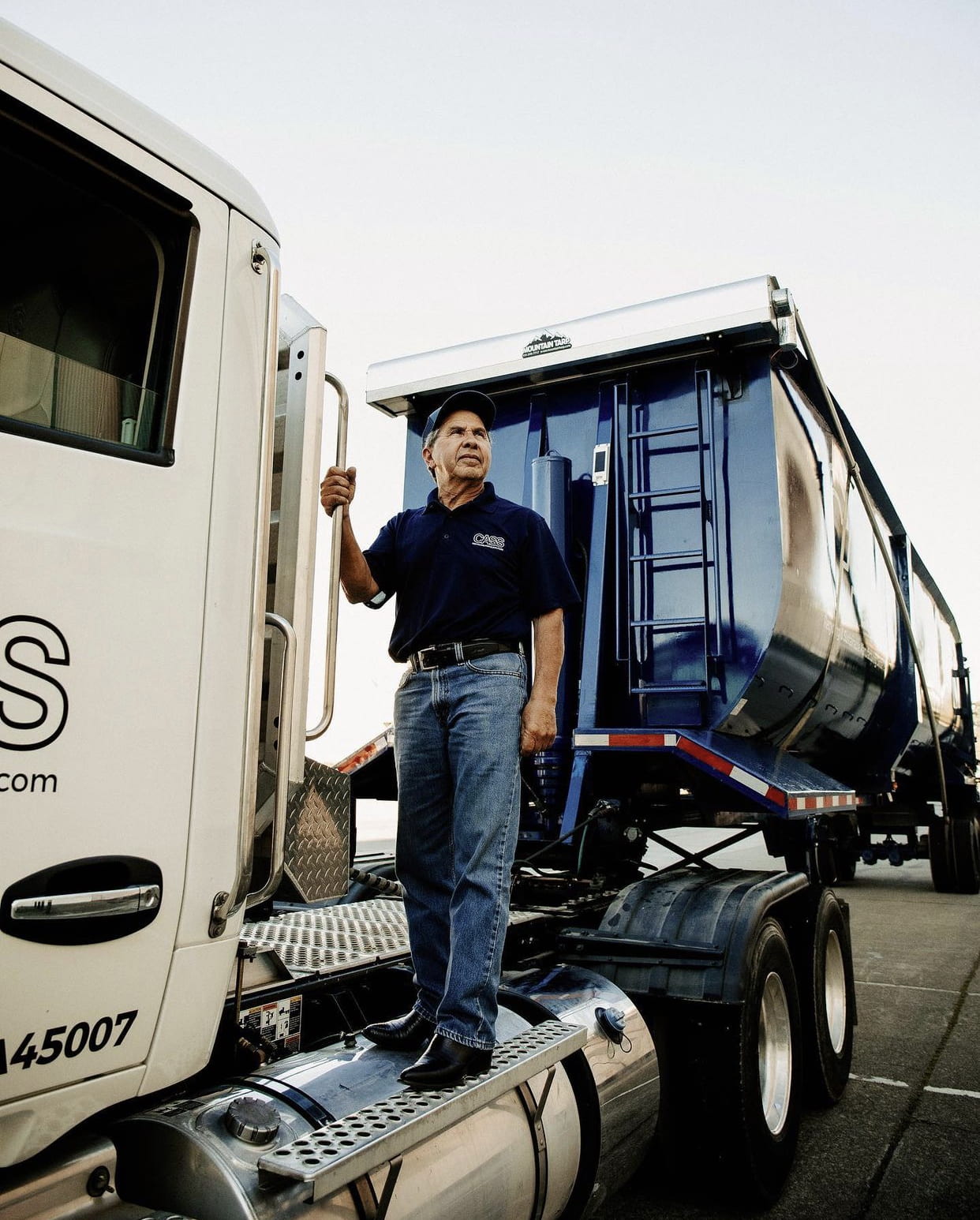
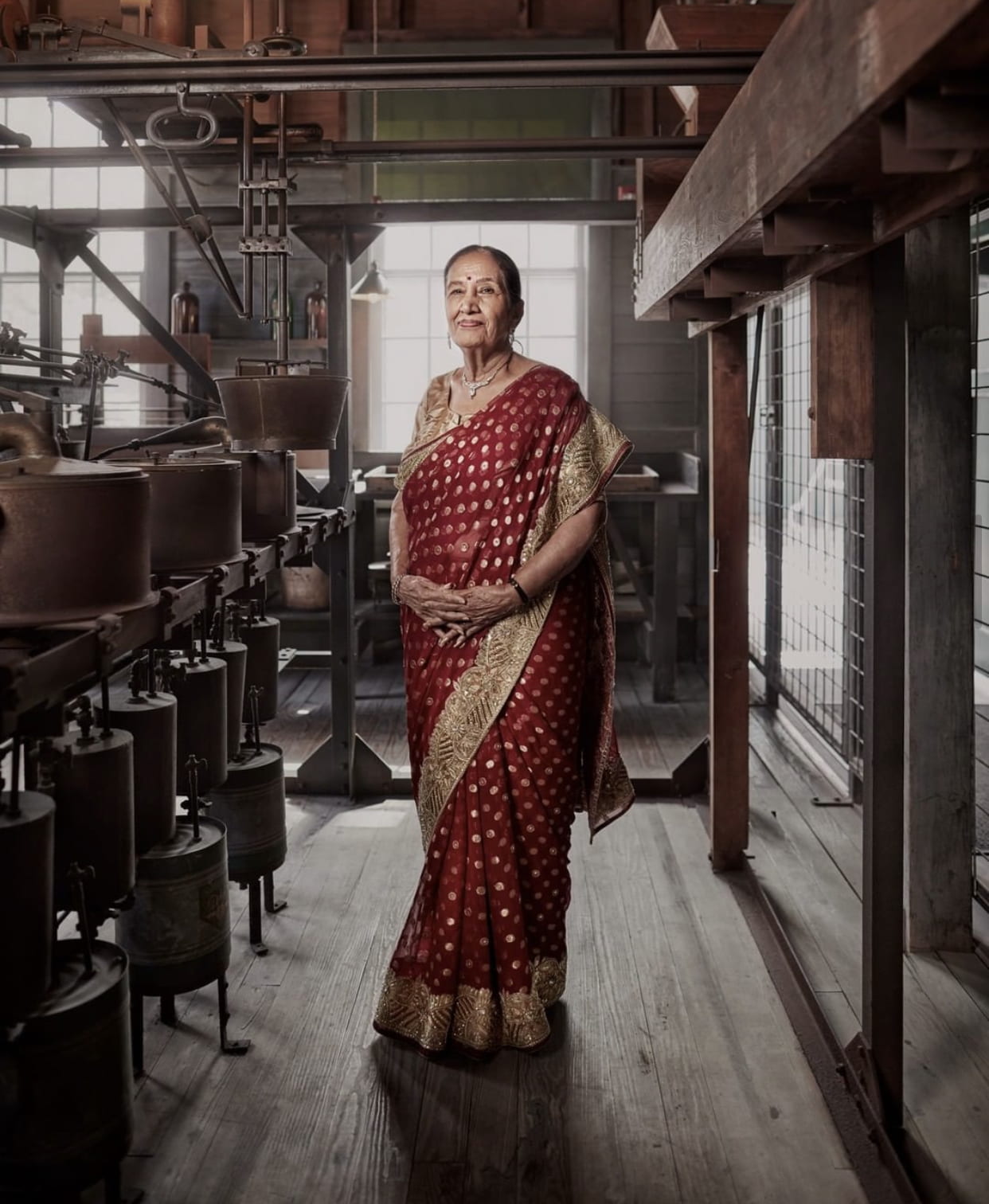
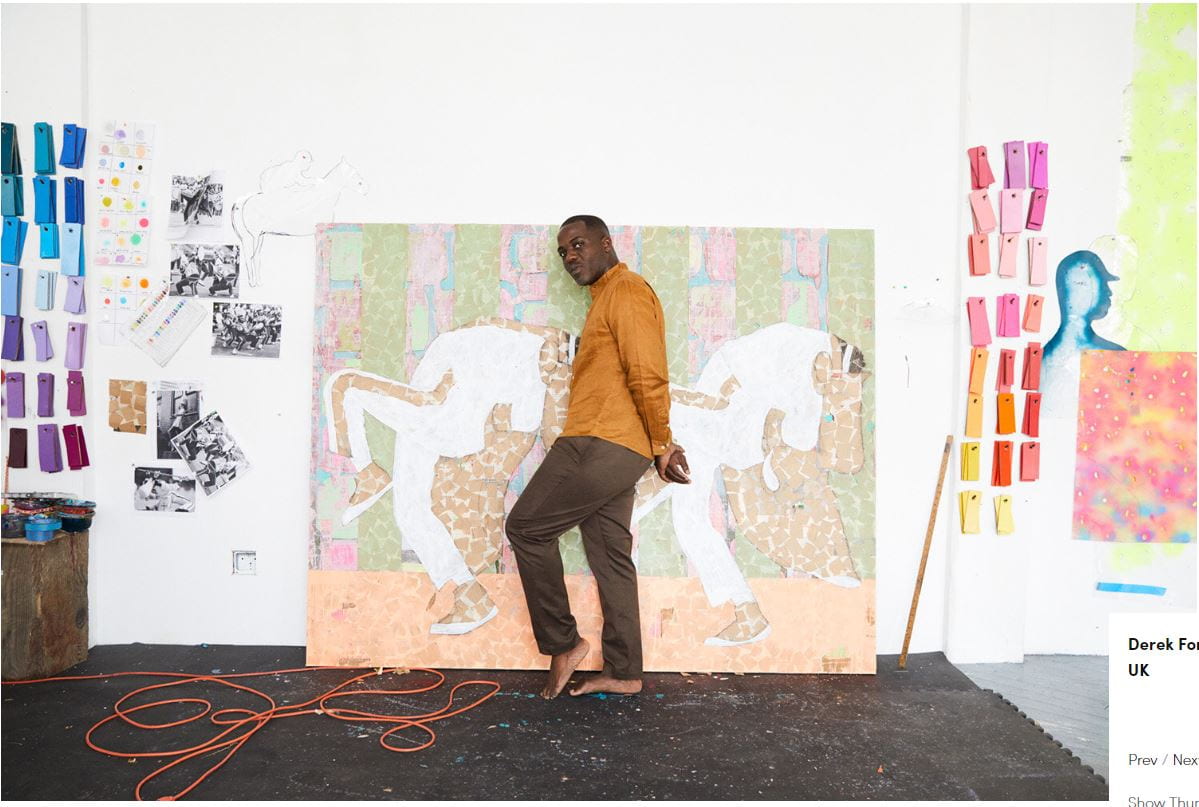
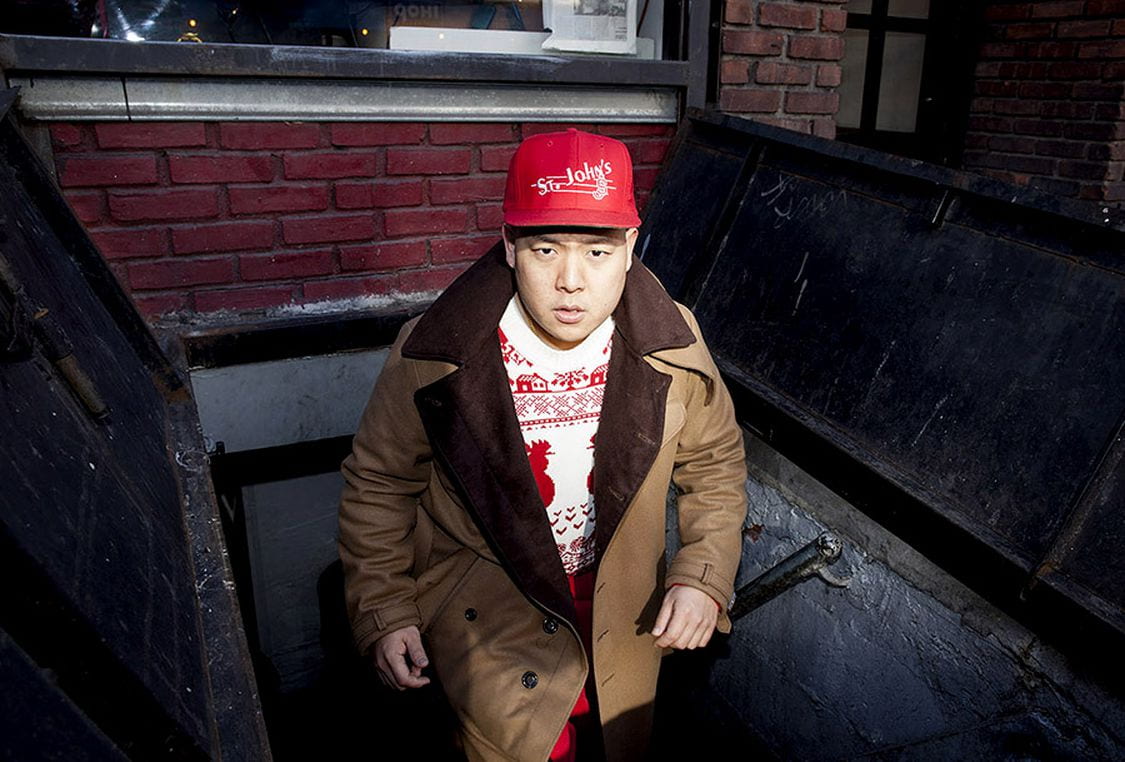
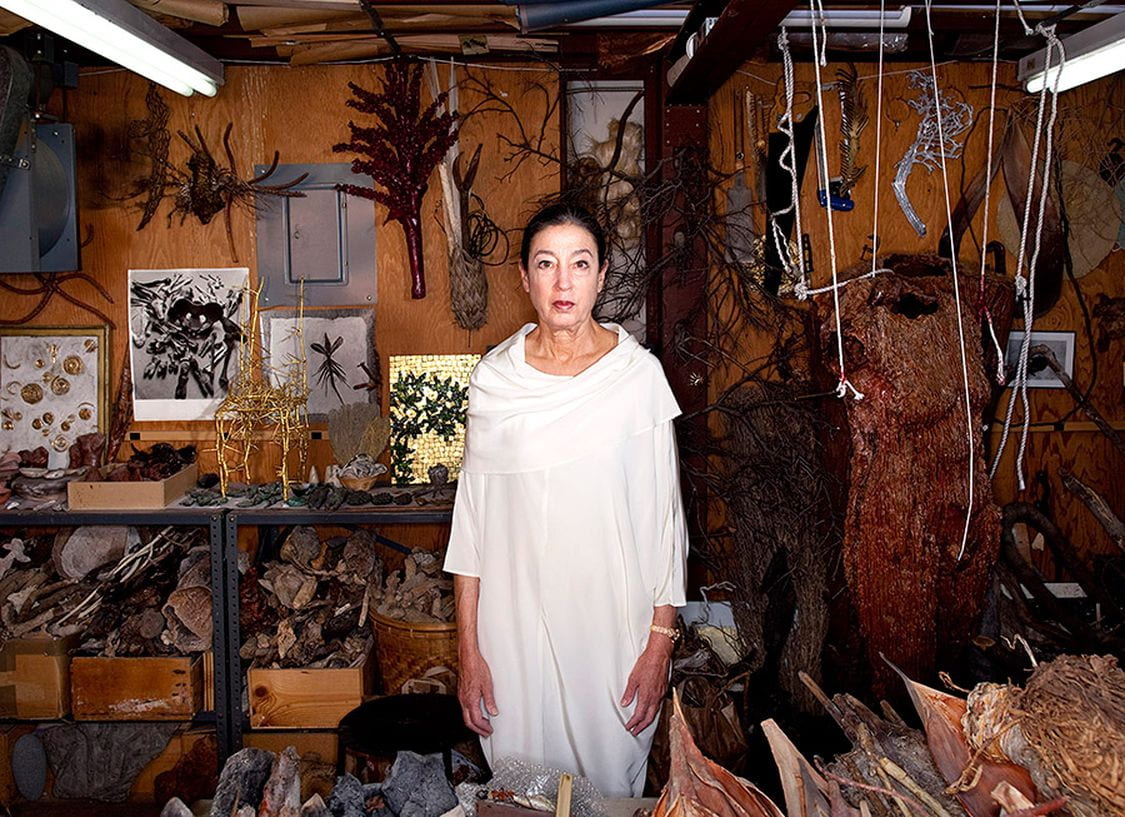
Who are these people?

Answer the following questions in a Word document.

  1. What do all these photos have in common?
  2. Who do you think these people are/what are they like based on their portrait? (Answer for each photo, label with the letter.)
  3. Which photo do you like the most and why?
  4. Why do you think these types of portraits are called “environmental portraits”?

Environmental Portrait Notes

Environmental-Portraits-PPT_march2026

Use the power point link to answer the following questions in the same Word document used in the previous activity.

  1. What is an environmental portrait?
  2. Why take portraits this way?
  3. What role does the background play in this type of photo? And what type of depth of field is typically used?
  4. What are the names of the two photographers featured at the end of the PPT? How is their work similar and how is different? (Make a list).


Posted in Pathway Block

Preparing for: Senior Lifestyle Portrait Shoot

Today’s Agenda:

  • Cinema Style Color Palettes
  • Portrait and Posing Video Playlist w/ Questions
  • March Independent Photo Challenges
  • Preparation Blog Post for upcoming Senior Lifestyle Portrait Shoot Project

Preparation Blog Post for

Senior Lifestyle Portrait Shoot Project

Create a blog post with resources + inspiration! 

Instructions:

Create a blog post titled, “Senior Portraits Inspo”.

  1. Photo Inspo: Find at least 5 lifestyle senior portrait examples online that you really love and add them as a gallery (link to media file, medium size).
  2. Posing Guides: Do a Google Image search for “Portrait Posing Guide”. Save at least 3 posing guides that you find useful. Add them in your blog post as a gallery but I also recommend saving them in your camera roll in your phone to have handy during the shoot. I added a few guides below that you can also use. (Link to media file, medium size).
  3. Photographer Tips: Select at least 5 tips for photographers that you have learned about regarding senior lifestyle portraits and include them in your post. You can use the video playlist as your reference, search the links I included below, or do your own research!
  4. Tips for Your Subject: Finally, do an online search for lifestyle senior portrait tips for your subject (how to prepare, what to wear or NOT wear for the shoot, makeup tips, etc.). I included a couple links for you below. Include at least 5 tips for your subject in the post.

Resources/tips for photographers:

https://www.flytographer.com/blog/senior-photos-best-tips/

https://digital-photography-school.com/senior-portraits-kids-parents-love/

https://lauramares.com/5-tips-to-plan-your-senior-photo-session/

10 Posing Tips for the Best Senior Portraits | Pittsburgh Senior Photographer

https://shotkit.com/senior-picture-ideas/

https://digital-photography-school.com/11-tips-for-photographing-senior-portraits/


Resources/tips for your subject:

How Should I Prepare for My Senior Pictures?

21 Tips for Your Senior Pictures

https://julienkibler.com/8-tips-to-plan-your-senior-photo-portraits/

11 Tips to Plan Your Senior Photo Session

Top 10 Tips to Prepare for Your Senior Photo Session – Pittsburgh Senior Photographer | Laura Mares Photography | Pittsburgh Lifestyle + Portrait Photographer


Posted in Pathway Block

Cinema Style Color Palettes on Photoshop

Today’s Agenda:

  • White Balance and Color Theory Pop Quiz (open notebook)
  • Catch up on assignments
  • Cinema Style Color Palettes

Cinema Style Color Palettes!

Create a total of 2 cinema style color palettes for two of your photos using Photoshop:

  1. For the first palette, choose a photo of yours that has somewhat of a monochromatic color scheme (little variety of colors).
  2. For the second palette, choose another photo that has seems to show a color scheme (complementary or analogous). I suggest using one of your food photos for this!
You will be using the eyedropper tool to sample colors (plus tints & shades) from the photo and using the bucket tool to fill each little rectangle with a different color/tint/shade.
Export as a JPEG when you finish each one and post to your blog.  Turn in the link to your post.

Check the posted assignment on Teams. It contains the Photoshop file with a blank template for you to download and save to your OneDrive.

Posted in Photo 1 Assignments

Natural Light Portraits

You will work with your group members only.

Open this PowerPoint for a list of the natural portrait lighting to capture along with student examples:

Natural Light for Portraits PPT

We will begin tomorrow!

You can photograph different people for the different lighting types; it doesn’t have to be the same person.

You will be posting the BEST portrait for each lighting type that you captured. Place them in a gallery (media file, 3 columns, medium size). Caption with the type of lighting + camera settings. (Ex: Side, Av, f/4, 1/400, ISO 400).

Everyone in your group should complete part 1 before moving on to part 2. (We probably won’t get to part 2 until Monday 2/2/26).

Part 1:

  • Front
  • Side
  • Back
  • Open Shade
  • Dappled
  • “Garage”

Part 2:

  • Reflector
  • Diffuser
  • External Flash

Camera Setting Suggestions:

Aperture Priority (Av), with lowest f-stop.  Automatic focus on the lens.

I suggest using ISO of 400 or less for best quality.

Focal length of your choice.
Posted in Pathway Block

Sharing Popcorn and Food Photos

Today’s Agenda:

  • Popcorn shoot-group share out
  • Food Photography-Padlet gallery contest
  • Independent Photo Challenge (Feb & March)
  • Catch up on assignments!

Popcorn Photo Shoot:

Everyone: Display your popcorn blog post on your computer monitor.
As a group: you will stand up and share how you achieved each shot-including what everyone’s role was for it.

Class: ask questions and give feedback!


Food Photography:

As a group, decide which edited photo is THE BEST and upload to this Padlet gallery:

https://padlet.com/delasa8/food-photography-challenge-bez9t7l3tq4rls73

  • All group member names in the subject heading.
  • Attach best photo.
  • Enter camera settings in the body of the post.

We will have a gallery walk tomorrow to view ALL your edited food photos too!