All screenshots need to be placed on a Word document to attach here when you turn in on Teams.
1.
Lightroom Tutorials:
Open Lightroom.
Click on the lightbulb Learn icon.
In the filter menus above: change the subject matter to: people.
Change the level to: Intermediate (you can select advanced instead if you prefer).
Choose 4 portrait tutorials that you haven’t completed before (make sure the people are not too far). See screenshot below.
Take a screenshot when you complete each tutorial (don’t click on the happy/sad faces until you get the screenshot!)

2.
Photoshop Tutorials:
Open Photoshop.
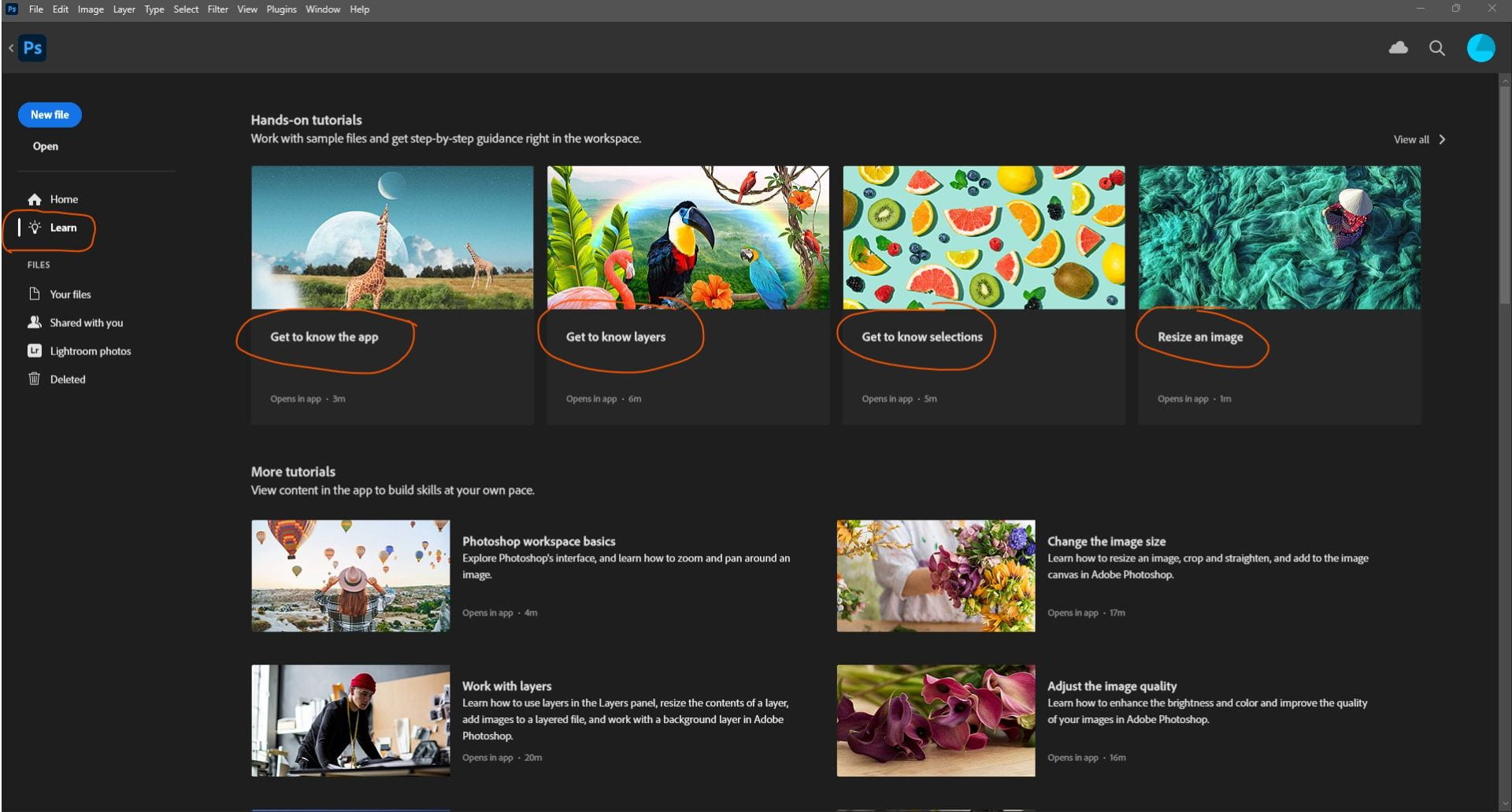
Click on lightbulb Learn icon.
At the top, click on Help, then click on Hands-On Tutorials…
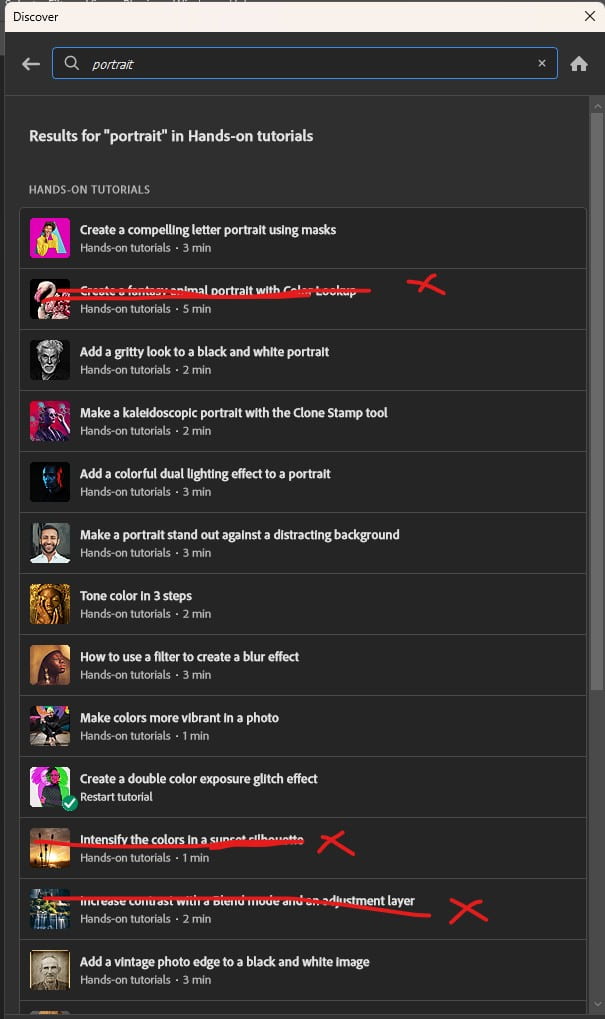
In the search bar type “portrait”. Scroll down to the Hands-On Tutorials section to find a variety of tutorials to choose from. See screenshots below.
Choose 2 portrait based tutorials that sound interesting to you.
Take a screenshot at the end of each tutorial.